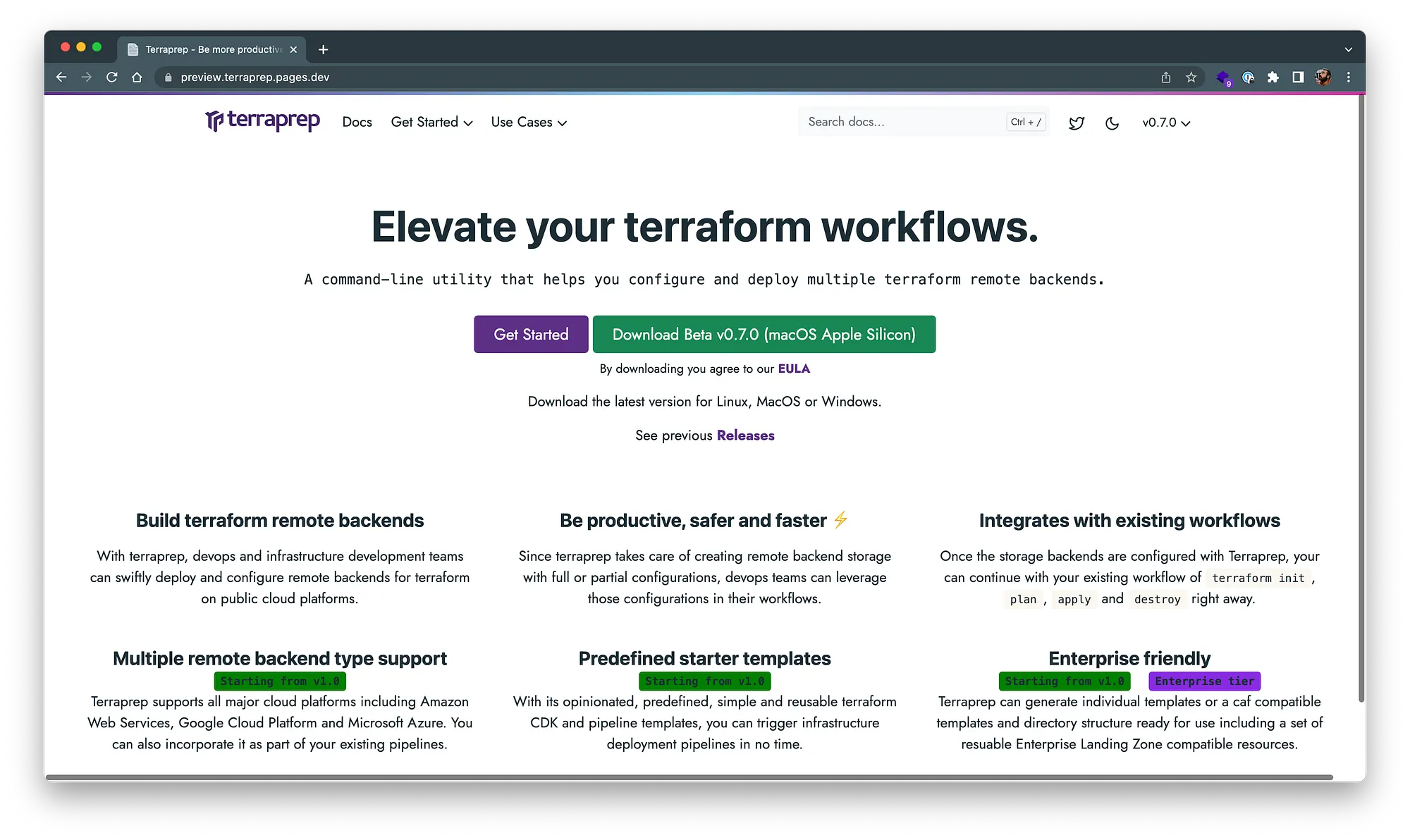
 Introducing Terraprep
Introduction
For the longest time I had hesitated on starting the journey of writing a large enough development project outside of my full-time job to keep me busy for months. It was always a mix of “what if no one uses it”, “I don’t know where I might start”, or “can I do it all by myself”.
To be honest, after working in medium to large sized organisations for more than a decade, I got used to much larger than two-pizza teams, layers of politics and relatively slow delivery associated with large organisations. But when it clicked, all I had to do was sit down one evening with intention and start experimenting.
Focus on the MVP
 Photo by Ilya Pavlov on Unsplash
The first version was very simple. All you could do was create a simple TOML config file. However, that was sufficient and gave me more than enough confidence to continue.
In the journey I learned that I needed to focus on a complete set of functional requirements. Otherwise I would be creating random ideas instead of a functional set of features.
Lean into the Agile
I have worked in a plethora of varying environments across big data, advertising, insurance and finance industries, with different development methodologies across the board.
For me, this project meant that I needed to be agile while minimising waste. In simple terms, when I started the project all I had was a rough sketch of what I wanted and a blank terminal. No product owners, no backlogs, no sophisticated SDLC.
As I started to build, I had to adapt quickly with my planning, strategy and execution while reducing waste and keeping my focus on a small set of functional features. This pushed me to use tools as and when I needed them. Eventually, towards the end of the beta release, I had a full set of open source and free SDLC tools, in addition to some paid ones, that I use daily for my projects.
X Driven Development
Should I use behaviour driven, test driven or documentation driven development methodology? At first this thought did not even cross my mind.
The reason is that my main skillset is traversing problems in multi-disciplinary technical spaces. I do not have one specific way of doing things. I have to adapt daily, and at times multiple times a day, depending on the team I am working with.
In the end, I used a mix of methodologies depending on what I was trying to achieve at the time.
Dogfooding
Dogfooding means a product created should be used by the creators. This was the original motivation to build this tool.
It was only after building the first few versions myself that I realised it could be turned into a product that others could use. By building this product end to end, I distilled my experience over the years into a system of SDLC tools, mechanisms and methodologies during the project.
Backlog is important
As soon as my first MVP was ready and I could see obvious bugs, fundamental issues and missing functionality that would confuse users, I realised all of those issues had to be tracked.
This forced me to create a backlog, initially just a todo list, that would turn into part of my SDLC toolset. You can do a lot without a complicated backlog, but if you want to collaborate with others while building and releasing a product regularly or semi-regularly, you are better off creating one.
So started my weeks of visualising and backporting all my functional requirements into a backlog that I could continue to use for myself or other collaborators.
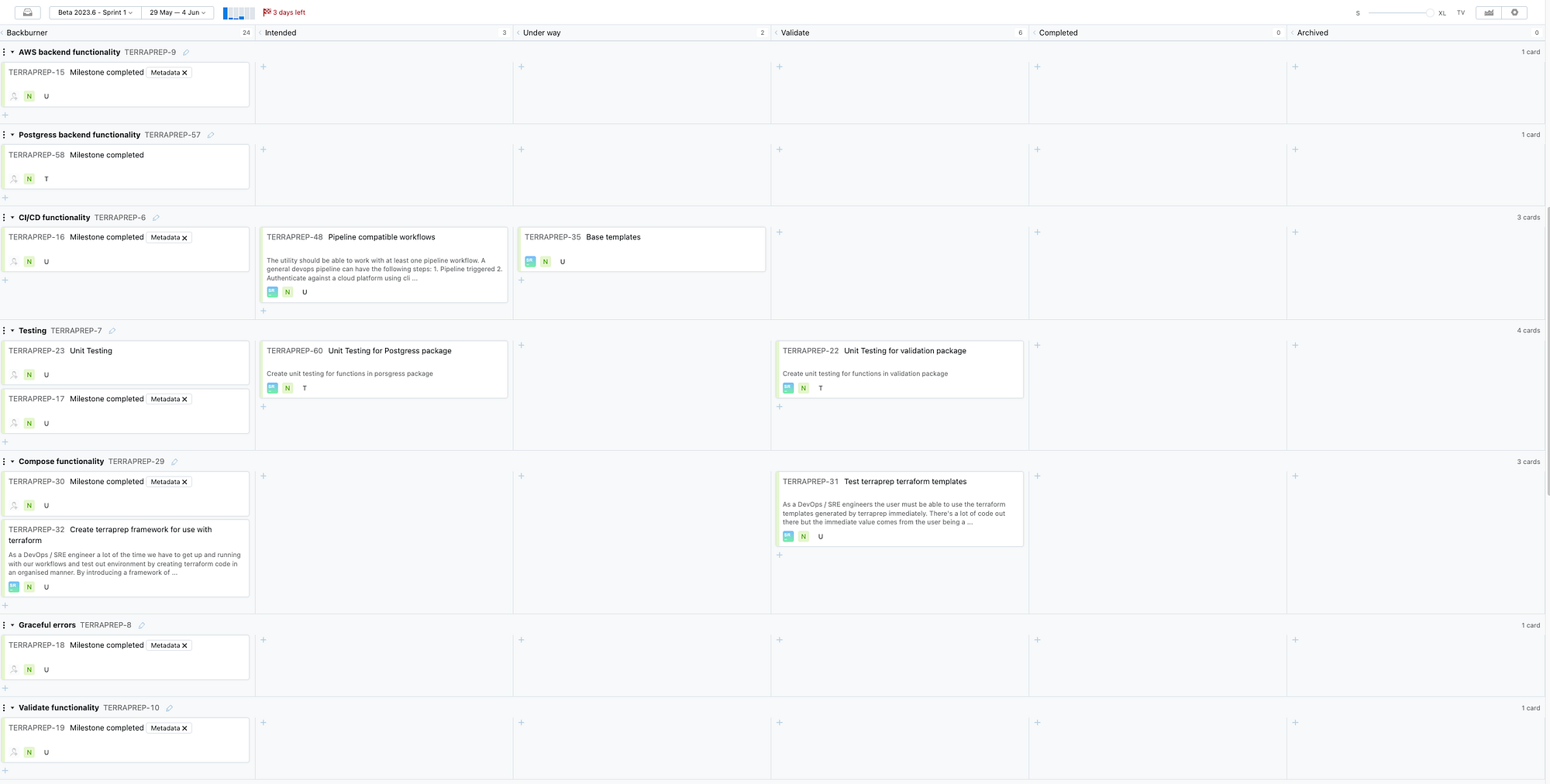 Backlog
AI is a friend, not a foe
ChatGPT is the norm these days. Even though I started out by myself, I enjoy collaborating, bouncing ideas off others and getting their feedback.
This is where I truly embraced the tool by OpenAI. Having an incredibly technical sidekick that can validate your ideas and provide opinionated technical perspectives can really boost productivity. Its ability to help debug, write basic test cases and suggest alternative ways of approaching a problem came in handy.
From my personal experience, AI will truly transform the software development space in the coming years. How huge the impact will be is a separate conversation.
If there is one bias I have for software development and systems engineering, it is that you must use the right tools, especially if you are working on a sizable and semi-frequently released project.
I have been using JetBrains products for quite a few years, and their tooling for the entire SDLC is incredible. They understand how to build software and are probably one of the biggest examples of dogfooding in the industry.
The language I chose, Go, fits well with the requirements and the user base of the software. It is a cross-platform command-line utility that uses network access and platform APIs to build backends.
Refactor, refactor, refactor
You do not finish a project and throw it over the line, even if it delivers all the functions you had in mind.
It requires consistent prototyping of ideas, building working functionality and refactoring until the entire application aligns with all the instruments that make up the orchestra. During my journey of building this application, I was on a constant cycle of build, test and refactor, to the point that the initial versions of the app do not look anything like the beta release.
Automation is the key
I am an automation enthusiast. That is one of my main skillsets, so I tend not to let opportunities to automate systems and processes go to waste.
When the time came to release the software to a central, publicly available repository, as well as versioned documentation, I did not waste time leveraging pipelines, build processes and automated repeated tasks. I wanted to hand off most of the work to some type of automated job. GitLab is my main way of automating the workflow.
I did not start the project visualising it as a product. As time went by and my daily practice evolved, I started to think about how I would release the tool and how many other features could be built.
Since I plan to open source parts, or all, of it at some point and collaborate with others, I also wanted to think about how I would achieve that. I did not want users to feel like I was providing subpar software. I wanted them to be able to integrate it into their existing pipelines and workflows.
That forced my hand to make it available in a way that had all the signs of a product. So I thought to myself: why should I not turn this into a product?
Conclusion
The main reason I built this software is so that I can solve the problem for myself, and others, of creating Terraform remote backends.
It is an issue I had noticed since the day I started using Terraform, and I never found a consistent way to solve it. Some suggested doing it manually, others suggested using APIs and scripts. So I decided to create Terraprep.
Terraprep is a cross-platform command-line utility designed to assist users by configuring and deploying Terraform remote backends. It supports creation of multiple backend types and uses interactive prompts and TOML-based configurations. It is available to download at terraprep.xyz.
Originally published on Medium.
Hero image by Milad Fakurian on Unsplash.